
Subscription
PhotoReport offers three plans to fit your needs.
The plans
Section titled “The plans”- 1 project with unlimited plans and photos.
- Up to 3 exports (PDF, HTML or ZIP).
- Works entirely locally, without an internet connection.
- No sync, no online sharing, no collaboration.
Everything the free plan offers, plus:
- Unlimited projects.
- Unlimited exports.
- Cloud sync: your projects are backed up and accessible on all your devices.
- Web dashboard: view your projects from a browser.
- Online report sharing: send a password-protected link to your clients.
- Company profile: brand your reports with your logo and contact details.
- 5 GB of cloud storage.
Everything the Pro plan offers, plus:
- Team collaboration: invite collaborators to your projects. Each member can add annotations and photos in real time. All members must have a Teams subscription.
- 20 GB of cloud storage per user.
For detailed pricing, visit the Pricing page.
Subscribe or change plan
Section titled “Subscribe or change plan”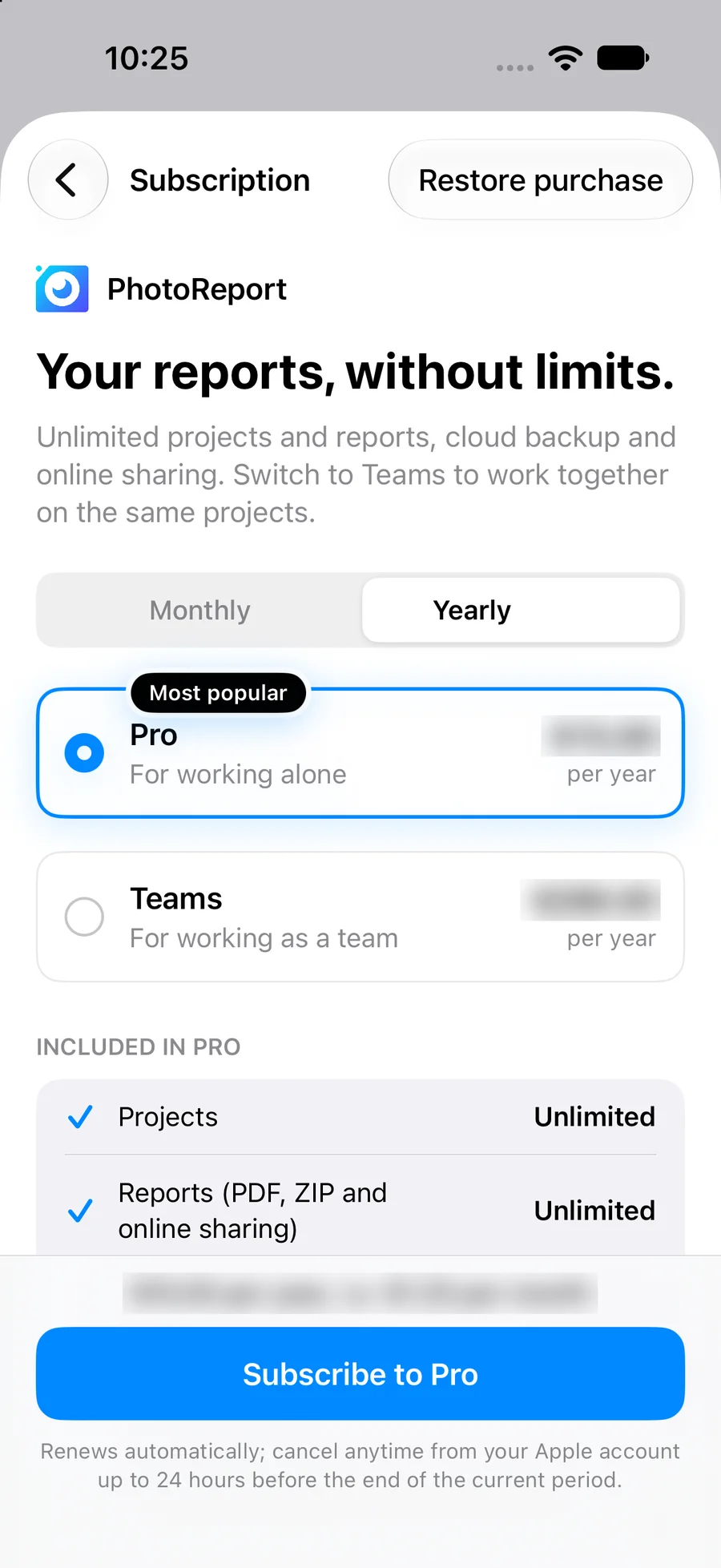
The subscription screen is accessible from:
- Settings > See plans.
- Automatically when you hit a limit (e.g., 3 exports on the free plan or trying to create a second project).
It compares Free, Pro and Teams in a table, with the questions on billing and renewal answered below it. On a wide screen the plans and the button sit in a column beside the table; otherwise the button stays at the bottom of the screen.
- Choose Monthly or Yearly (yearly saves roughly 2 months).
- Select Pro or Teams.
- Tap the button: Start free trial when the plan comes with a trial, otherwise Subscribe to Pro or Subscribe to Teams. The line above it states what the App Store will charge, and the trial’s length when there is one.
Payment is handled by the Apple App Store. On Pro, the screen offers Upgrade to Teams. Use promo code redeems an App Store offer code.
Once subscribed, the screen shows your plan and its renewal date, and Manage subscription, at the top, opens your subscription in the App Store.
Restore a purchase
Section titled “Restore a purchase”If you already have an active subscription (e.g., on another device), tap Restore purchase at the top of the subscription screen. The App Store checks your history and reactivates your plan.
Cancel a subscription
Section titled “Cancel a subscription”App Store subscription
Section titled “App Store subscription”Cancellation is done from your iPhone Settings (it’s not possible to cancel from the PhotoReport app):
- Open your iPhone Settings.
- Tap your name at the top.
- Tap Subscriptions.
- Select PhotoReport and tap Cancel subscription.
Direct subscription (bank transfer)
Section titled “Direct subscription (bank transfer)”If you subscribed via bank transfer, contact us by email at contact@photoreport.app to manage or cancel your subscription.