
My reports
My reports brings together, in a single list, the reports you shared by link and the ones you saved, across all your projects.
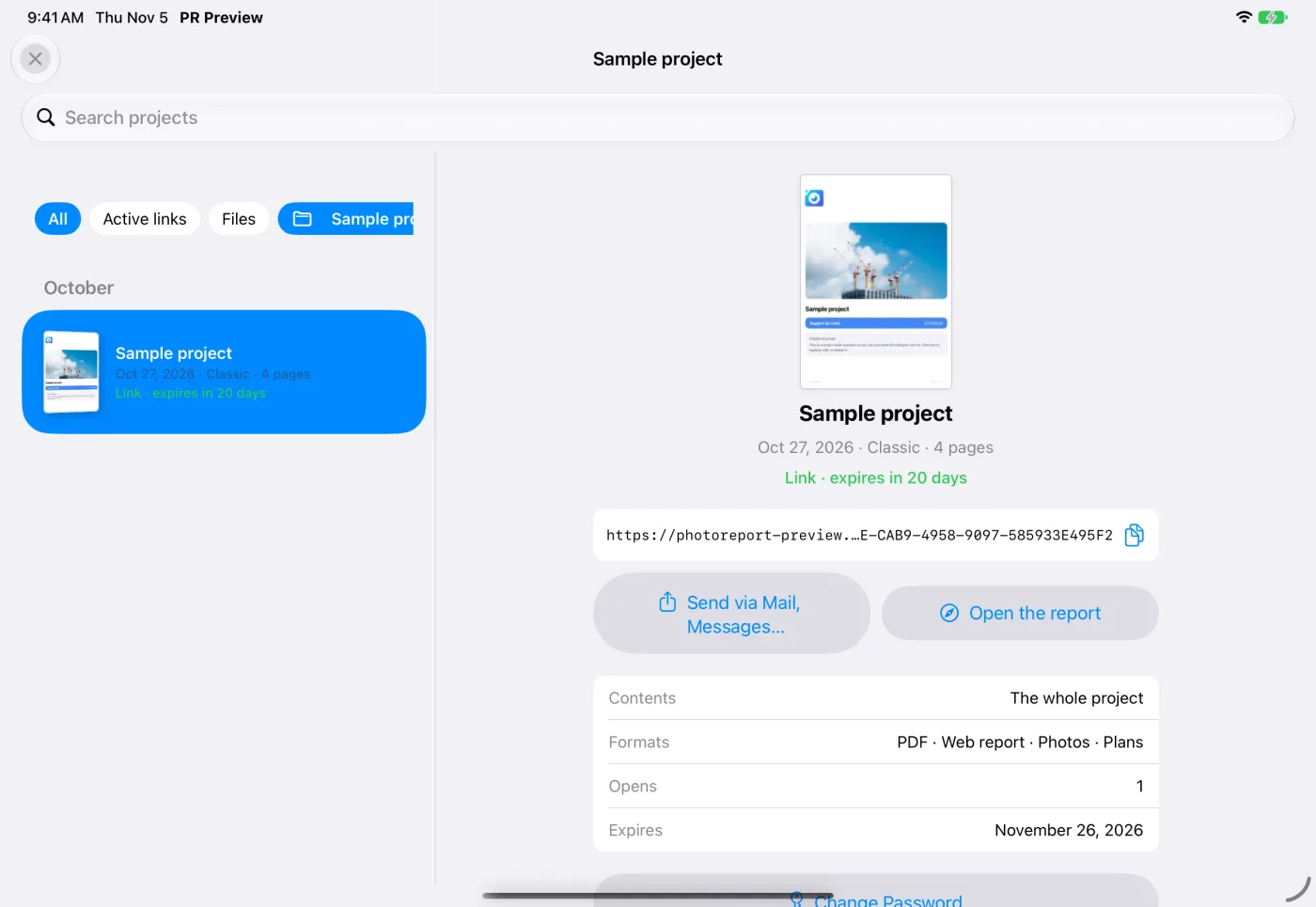
Open My reports
Section titled “Open My reports”- iPhone and iPad: tap the My reports icon on the home screen, or the square button next to a project’s Create Report. A notification that a link is ready opens the list on that link.
- Web dashboard and Android: open My reports in the navigation.
A dot on the entry tells you a link expires within 3 days.
Find a report
Section titled “Find a report”Reports are listed newest first, grouped by period.
- Search projects by name.
- Filter by type: All, Active links or Files (the reports you saved).
- Filter by Project, or keep All projects.
Each report shows a thumbnail of its first page and a delivery line, for example “Link · expires in 5 days”, “Link expired on” followed by the date, or “Saved · for the record”.
What a report shows
Section titled “What a report shows”Choose a report to see its details:
| Detail | What it tells you |
|---|---|
| Contents | The plans and observations it covers, or The whole project |
| Formats | PDF, Web report, Photos, Plans |
| Opens | How many times your recipients opened the link |
| Expires | When the link stops working |
Manage a shared link
Section titled “Manage a shared link”From a shared report:
- Copy link, then send it with its password.
- Open the report as your recipients see it.
- Change password: see Change the password.
- Extend (Pro): add 7, 30 or 90 days to an active link. A link cannot be valid for more than 90 days from today.
- Delete link: anyone who has it can no longer open the report. This cannot be undone.
Recreate a report
Section titled “Recreate a report”Recreate with the same settings produces a new report from today’s content, with the template, style and filters of the original. The original link does not change.
If the original filters can no longer be applied, a message tells you the report will be recreated from the whole project. Recreating a shared link requires Pro.
Remove a report from the list
Section titled “Remove a report from the list”Remove from list takes a saved report out of My reports. The file itself is not deleted.
Questions
Section titled “Questions”Where did “Shared reports” and “My shares” go? They are now My reports, which also lists the reports you saved.
Why does a report show “EXPIRED”? Its link has passed its expiry date. Use Recreate to send a new one. See Expiry and downloads.